Products & stock
Variants (size and colour)
Add clothing, shoes and other styles in many sizes and colours at once, each with its own barcode, price and stock.
Who it is for:Stock keeperManagerOwner
A style is one design, for example Men's polo shirt. Each size and colour of it is a variant with its own barcode, price and stock: Polo shirt - M / Black is one variant. RetailDesk makes all the combinations for you.
Style list
Go to Products & stock › Variants (size / colour). Each style shows its sizes and colours, how many variants it has, the price and the total stock.
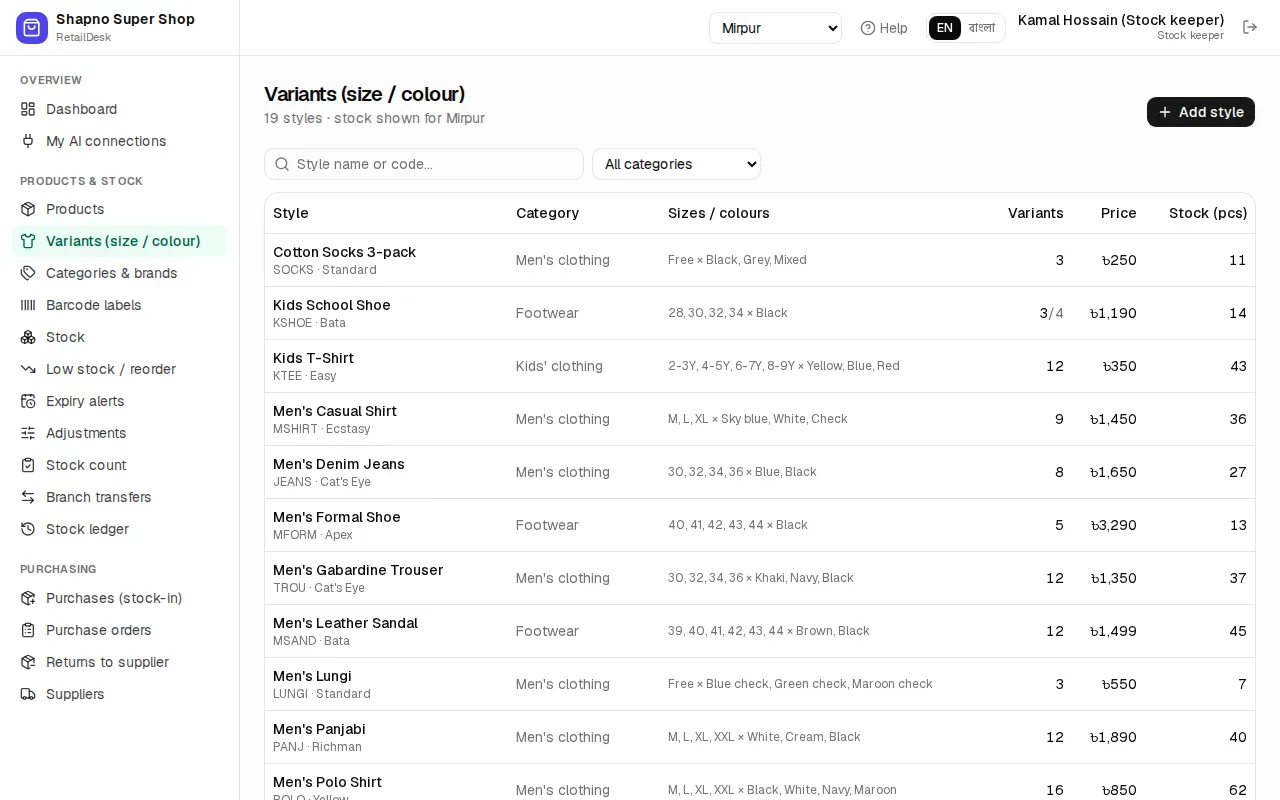
Add a style
- Click Add style (or Add with sizes / colours on the product list).
- Fill in Style name *, Name in Bangla, Style / design code, Brand and Category.
- Under Sizes & colours:
- First attribute is Size. Type the values separated by commas, or click a preset: S–XXL, 28–36, Shoes 39–44 or Kids 1–10 yrs.
- Second attribute is Colour, for example
Black, Navy, White.
- Set Retail price (৳) *, Wholesale price (৳), Cost (৳) and Reorder level (pcs) for all variants.
- Leave Generate barcodes for new variants ticked if the items have no barcodes of their own.
- Click Create variants.
Example: sizes S, M, L, XL and colours Black, Navy, White make 12 variants. You need at least one size or colour, and at most 200 combinations.
The size × colour matrix
Open a style to see the matrix: sizes down the side, colours across, with each variant's stock and price.
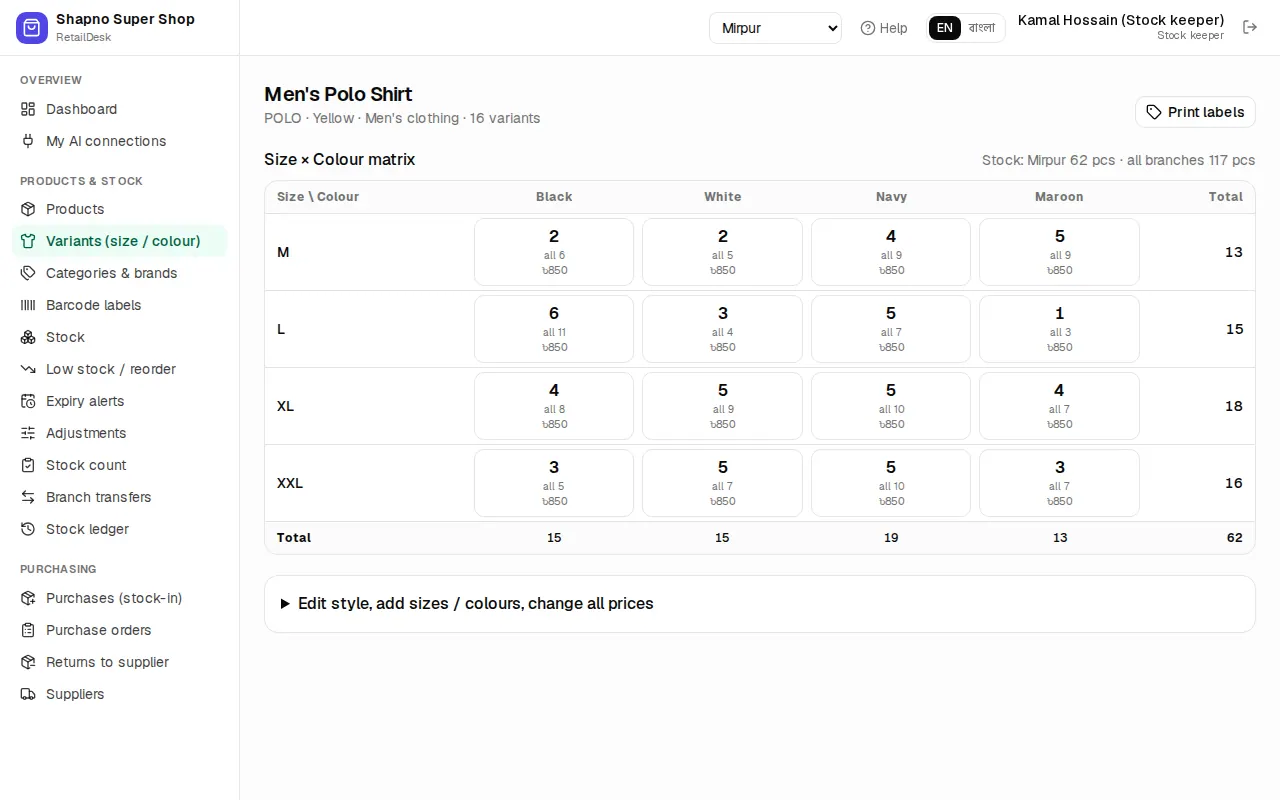
- Click a cell to change that variant's Retail price (৳), Wholesale (৳), Barcode or Active, then Save.
- Open Edit style, add sizes / colours, change all prices to add a new size or colour (only the new combinations are created) or to change every price at once with Apply these prices to every variant.
- Removing a value hides it from the form but keeps the variants and their history.
- Print labels opens Barcode labels with every variant of the style.
Selling and buying variants
At the POS, scan the tag or search for the style and pick the size and colour. In a purchase, add each size and colour you received as its own line. Stock, reorder and reports work per variant, and the AI assistant can show a style's stock as a size × colour table.