Online shop
Delivery partners (couriers)
Connect Pathao, Steadfast or RedX, book a parcel from an online order, follow its status and record the cash the courier pays you.
Who it is for:OwnerManager
RetailDesk can book parcels with Pathao, Steadfast and RedX straight from an online order. The courier's status updates move the order along by itself, and the cash the rider collects is tracked until the courier pays you.
Connect a courier
Go to Online shop › Delivery partners (owner). Each courier has a card.
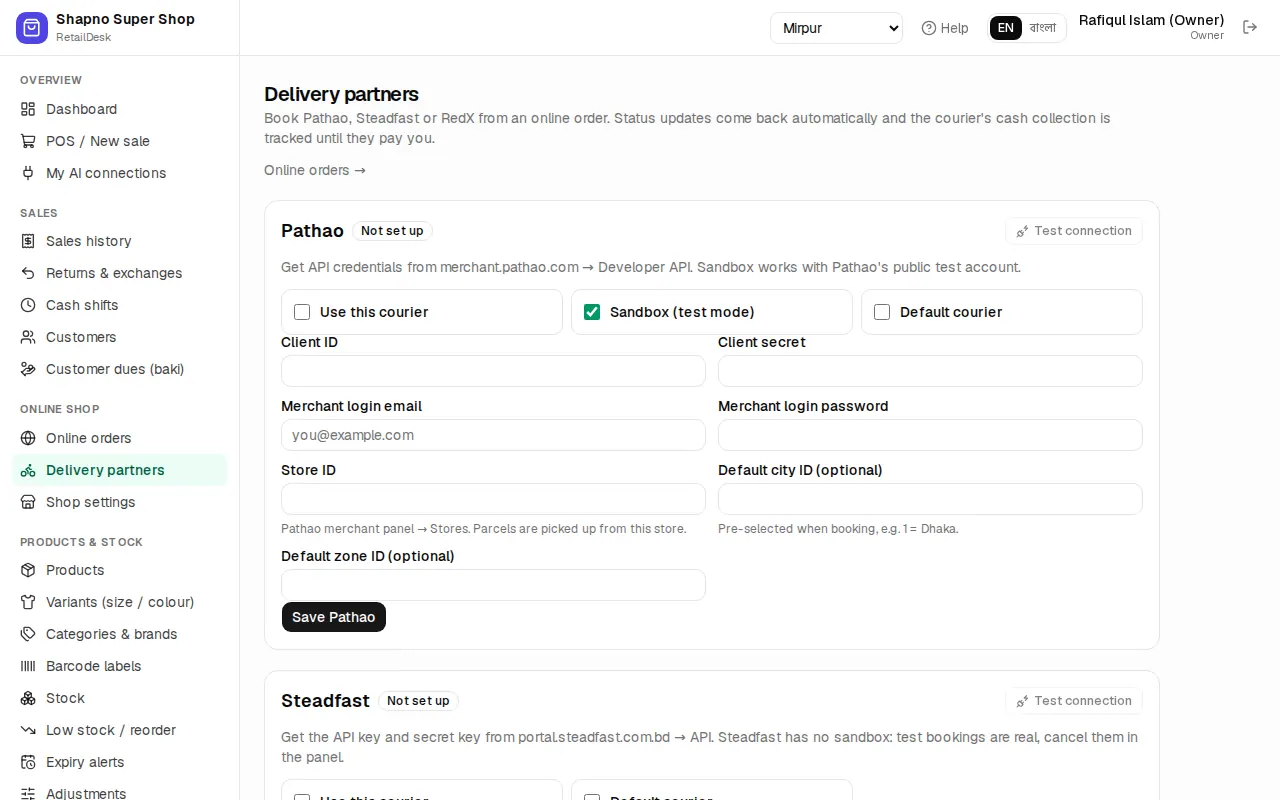
- Type the keys from your merchant account:
- Pathao: Client ID, Client secret, Merchant login email, Merchant login password, Store ID, and optionally a default city and zone.
- Steadfast: API key and Secret key.
- RedX: API access token and optionally the pickup store ID.
- Tick Use this courier. Tick Sandbox (test mode) while you try it out (Steadfast has no sandbox, so its bookings are always real).
- Tick Default courier for the one you use most.
- Use the test button to check the keys, then click Save ….
Saved secrets show as Saved •••• (leave blank to keep). Copy the Status webhook URL into the courier's merchant panel so status changes arrive straight away.
Book a parcel
The Courier box on an online delivery order works once the order is confirmed or packed:
- Click Book courier.
- Check the provider, the customer's name, phone and Full address. Pathao needs the city and zone; RedX needs the delivery area.
- Check Weight (kg) and Item, add a Note for the rider (optional) and click Book.
The box tells you what the rider collects: Rider collects ৳… (still due on the invoice) or Prepaid: the rider collects nothing.
Follow the parcel
- When the courier picks it up, the order moves to Out for delivery by itself.
- When the courier reports it delivered, the order is marked delivered and the cash is put in that courier's account.
- If it comes back, the order is marked returned.
Click Refresh to ask the courier now. While the booking is still new you can Cancel it. RetailDesk also checks every open parcel once a day.
Cash held by couriers
Under Cash held by couriers you see what each courier has collected for you and not paid yet. When the payout reaches your bank or bKash, click Record payout, choose Received in, type the Amount (৳) and the Date. Recording a payout needs a manager or the owner.