Selling at the counter
Customers and dues (baki)
Keep customer records, wholesale buyers and credit limits, collect dues, send SMS reminders and use loyalty points.
Who it is for:CashierManagerOwner
On this page
Regular buyers, wholesale customers and institutions are kept in Sales › Customers. A customer is needed for a due sale, wholesale prices and loyalty points.
Customer list
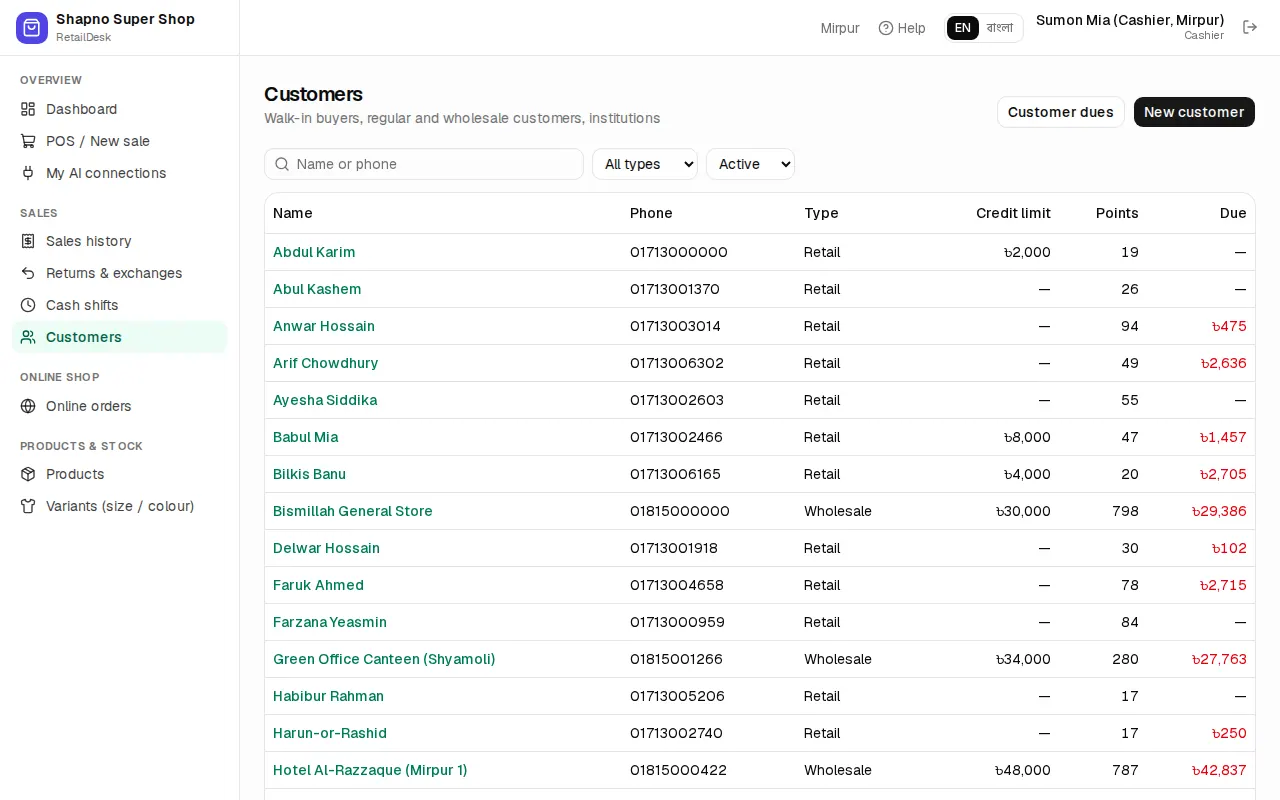
Search by name or phone, or filter by type. The list shows each customer's type, credit limit, points and current due.
Add a customer
Click New customer (or add one from the POS with F4).
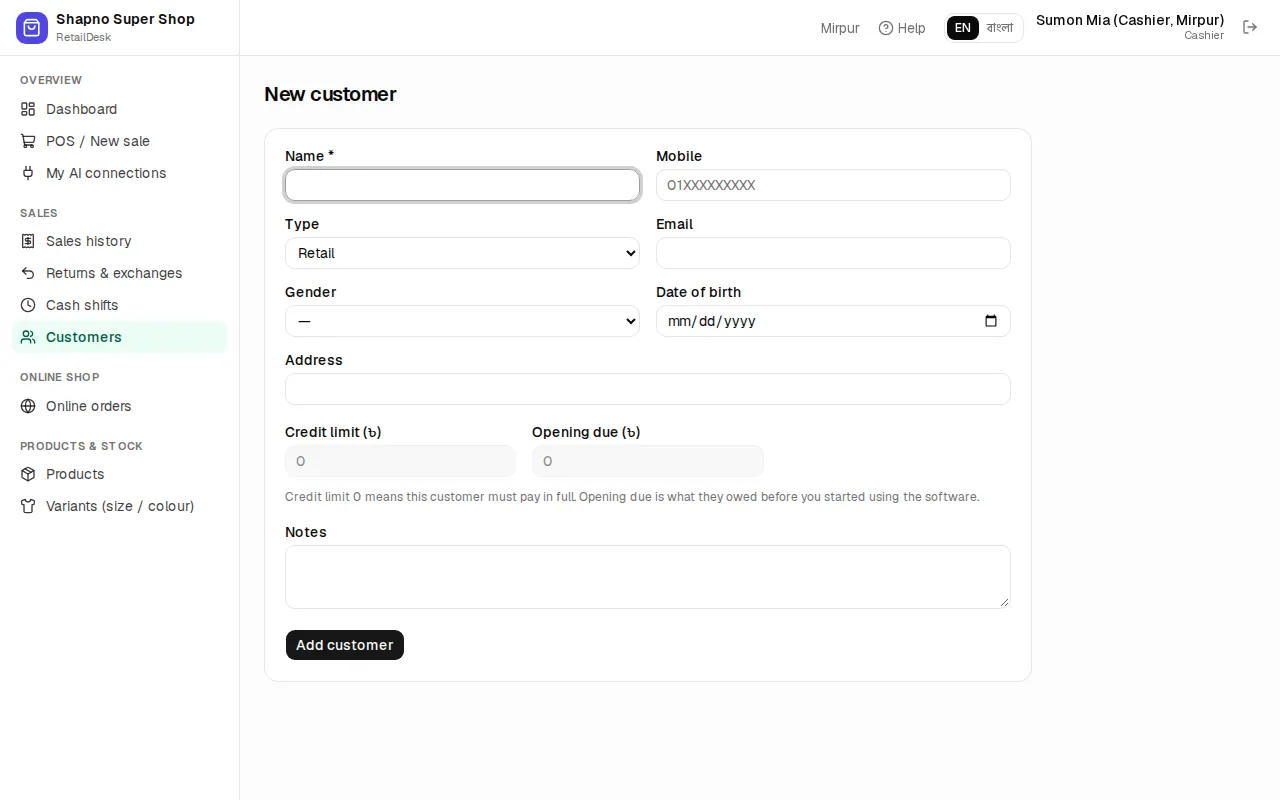
- Name * and Mobile. The mobile number must be unique in your shop.
- Type: Retail, Wholesale (gets wholesale prices) or Institution / corporate.
- Email, gender, date of birth, address and notes are optional.
- Credit limit (৳): how much due this customer may run up. Credit limit 0 means this customer must pay in full.
- Opening due (৳): what they already owed you before you started RetailDesk.
Only a manager or the owner can set the credit limit and opening due.
Customer page
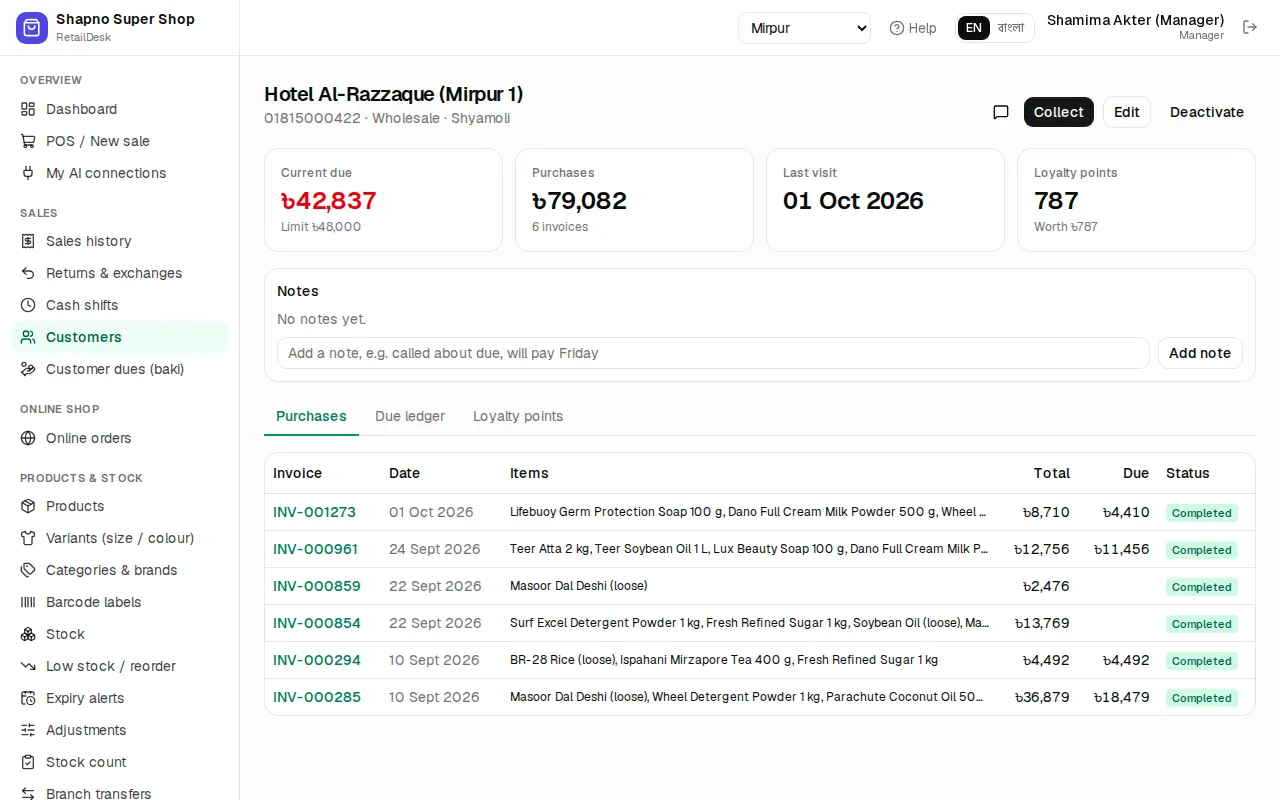
The customer page shows Current due, purchases, last visit and Loyalty points, and has tabs for:
- Purchases: every invoice.
- Due ledger: each sale, payment and return with the running balance, like a baki khata.
- Loyalty points: points earned and redeemed.
Under Notes you can add short notes (for example "delivers to the 3rd floor"). Edit changes the details and Deactivate hides a customer who no longer buys, without losing their history.
Collect a due
- Open the customer, or go to Sales › Customer dues (baki), and click Collect.
- Check the Amount (৳). You can't collect more than the customer owes.
- Pick the Method (cash, bKash, Nagad, card, bank, cheque) and, if you like, the account it goes into and a TrxID or cheque number.
- Click Save payment, then Print money receipt for the customer.
Cash collected while your shift is open counts in your drawer.
Customer dues (baki) page
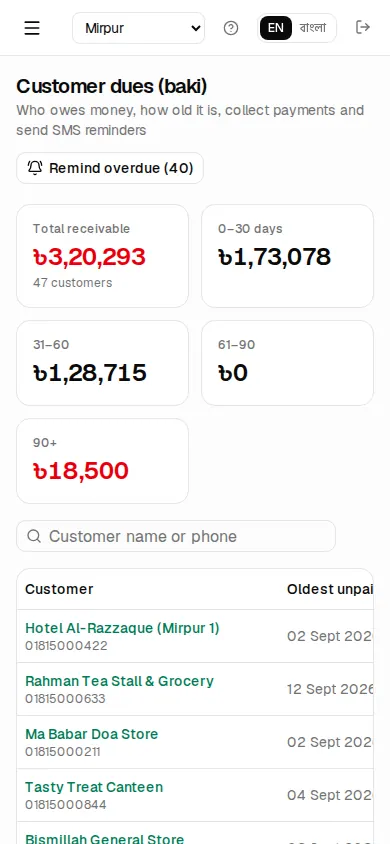
Sales › Customer dues (baki) (manager and owner) lists everyone who owes money, oldest first, with ageing columns 0–30 days, 31–60, 61–90 and 90+.
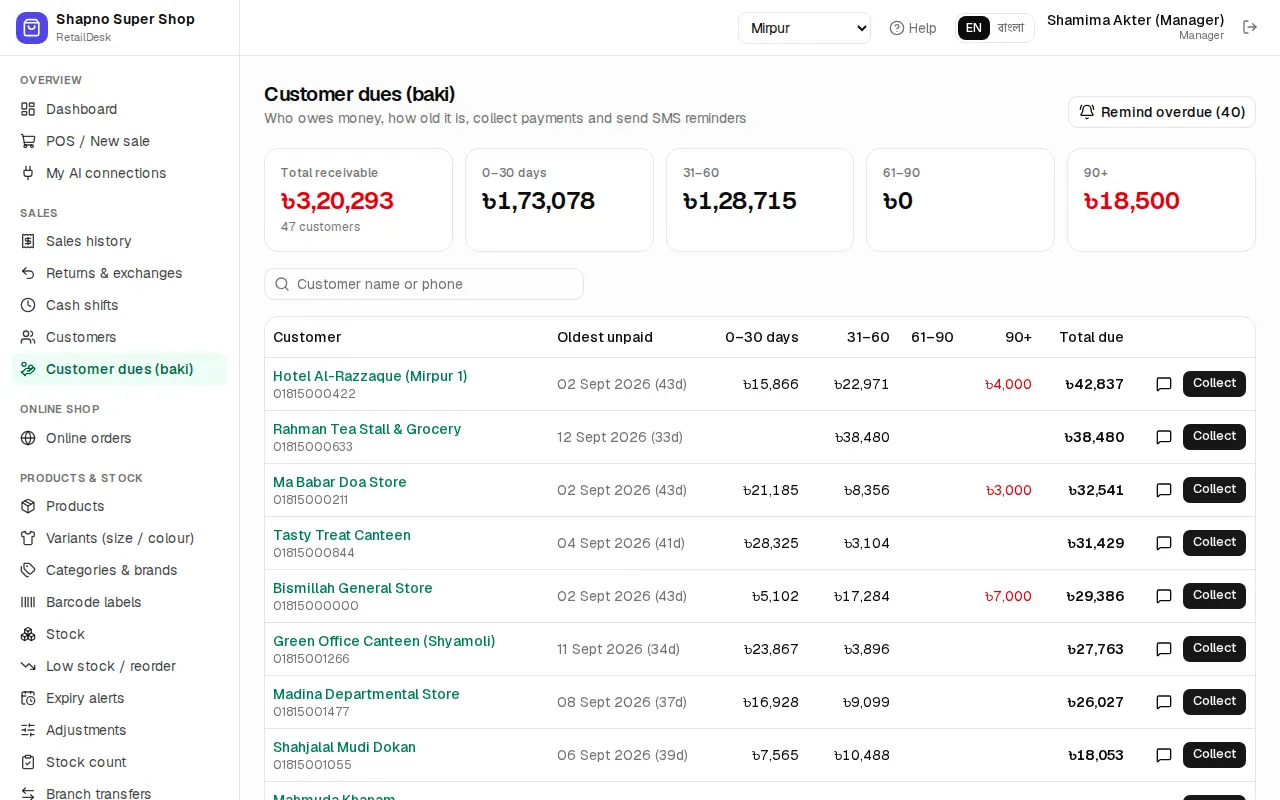
Recent collections at the bottom lists the latest payments with a Receipt link to reprint the money receipt.
SMS reminders
If SMS is on for your shop:
- The SMS button on a row (or on the customer page) sends one polite reminder with the amount due.
- Remind overdue (N) sends a reminder to everyone whose oldest due is older than the reminder period (7 days by default), skipping anyone already reminded in that period.
The owner sets the period and turns SMS on in Settings.
SMS drafts from AI assistants
If you use an AI assistant, it can write reminder drafts but never sends them. Drafts appear on the customer page under SMS drafts (not sent). Read each one, then click Send or Discard.
Loyalty points
When loyalty is on, customers earn points on every sale (by default 1 point per ৳100) and can spend them at the POS (by default 1 point = ৳1, from 50 points). Points are shown on the POS customer card and on the customer page. See POS.
Dues on a phone
The dues list works on a phone, so you can collect on the way.