Owner & settings
AI assistants (Claude, ChatGPT)
Connect Claude, ChatGPT or another AI app to your shop so it can answer questions from your data, draft purchase orders and reminder SMS, with every request logged.
Who it is for:OwnerManagerCashierStock keeper
On this page
With the AI assistant connector, you can ask an AI app such as Claude or ChatGPT questions like "What were my best sellers this week?", "Which items will run out before Friday?" or "Who owes me the most?". The AI reads the answer from your RetailDesk data. It works in Bangla and English.
What the AI can and can't do
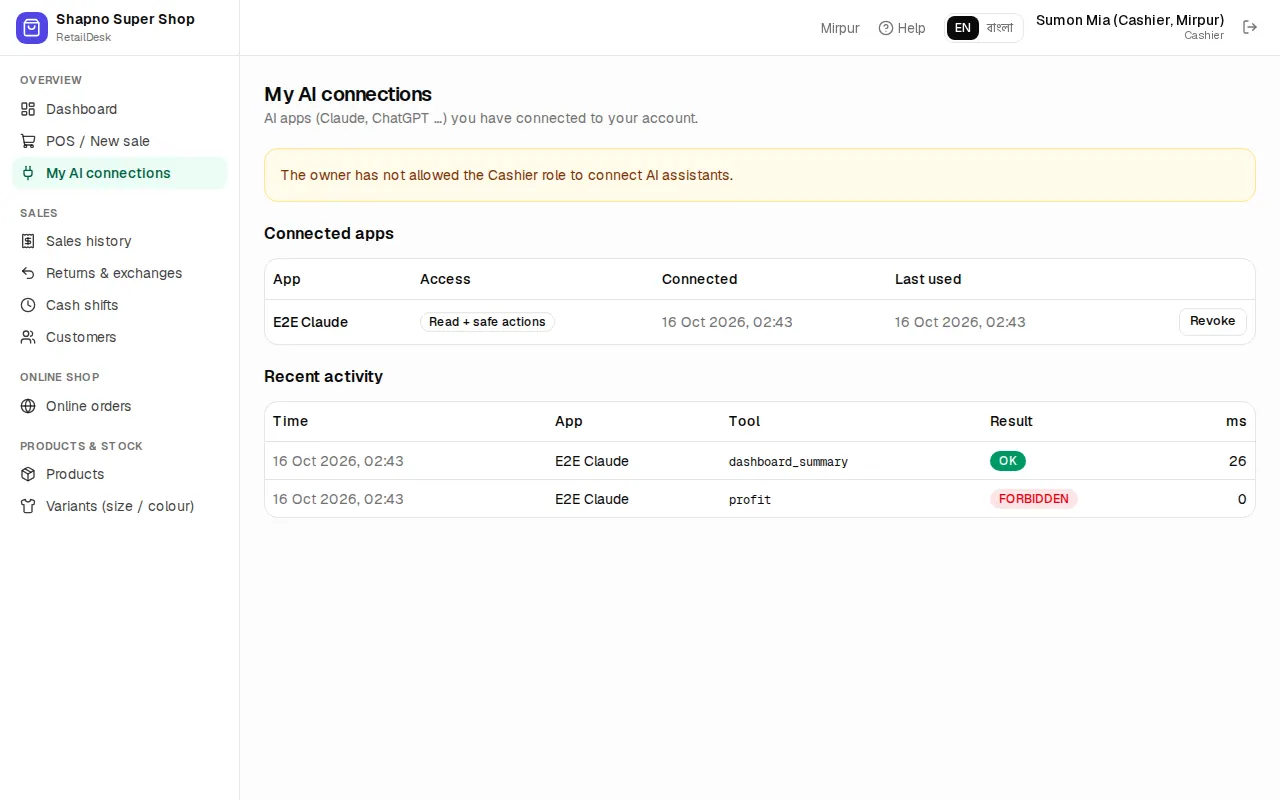
- It only sees what your role can see. A cashier's AI app can't see profit; a branch manager's can't see other branches.
- It can read: sales, profit, expenses, cashier closing, online orders, stock, sizes and colours, low stock, expiring and slow-moving items, customer and supplier dues, purchases and purchase orders.
- If the owner allows safe actions, it can also draft a purchase order, add a note to a customer and save an SMS draft. Drafts are never sent or received automatically: a person checks them in RetailDesk first.
- It can never take payments, delete anything, send messages or change settings.
- Every request is logged.
Turn it on (owner)
Go to Admin › AI assistants (MCP). The badge shows whether it is Included in your plan.
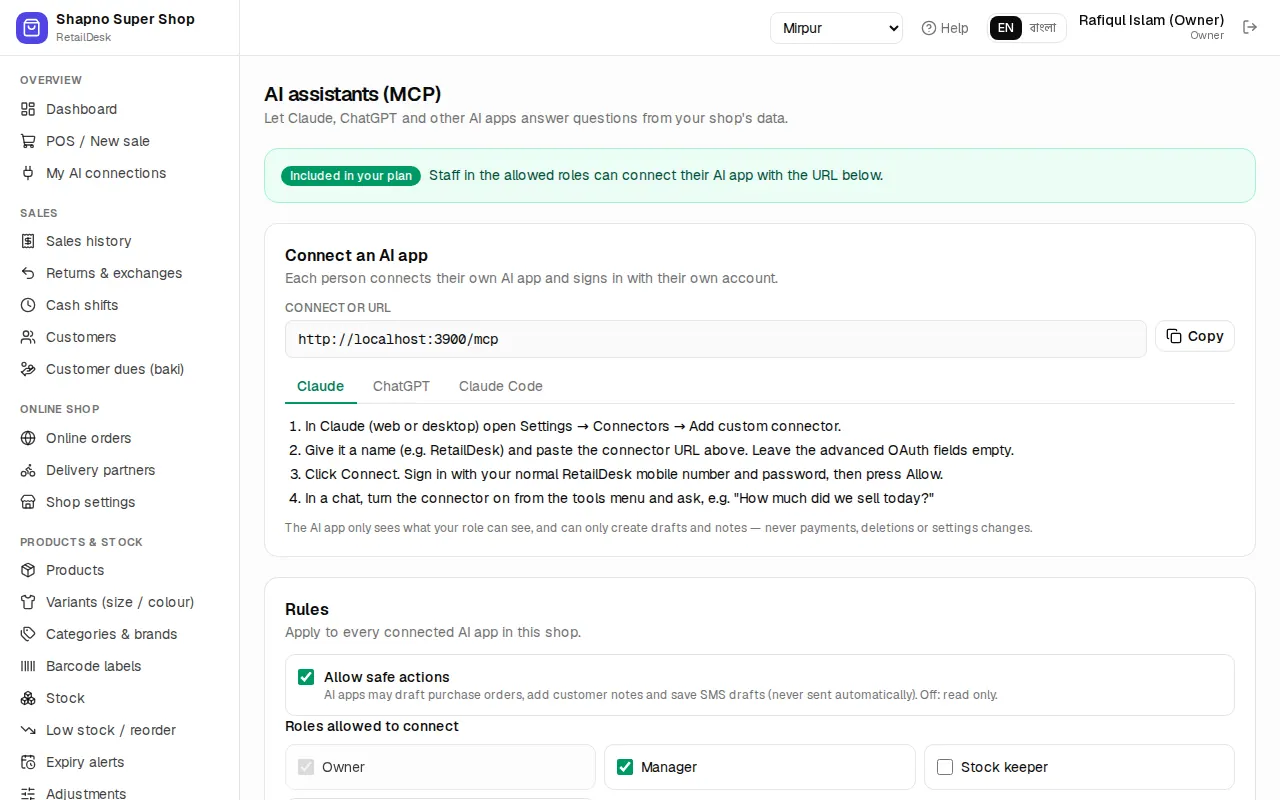
Under Rules:
- Allow safe actions: off means read only.
- Roles allowed to connect: the owner can always connect; by default managers can too. Tick cashiers or stock keepers if you want them to use it.
Click Save. Connected apps lists who has connected which app, with Revoke, and Recent activity shows the last 50 requests (kept for 180 days).
Connect your AI app
Each person connects their own app and signs in with their own RetailDesk account. Copy the Connector URL shown on the page (it ends in /mcp), then:
- Claude (web or desktop): Settings → Connectors → Add custom connector, paste the URL and click Connect.
- ChatGPT: Settings → Apps & Connectors → Advanced, turn on Developer mode, then create a connector with the URL (authentication OAuth). Needs a ChatGPT plan that allows custom connectors.
- Claude Code: run the command shown on the page in a terminal, type
/mcpand choose Authenticate.
A RetailDesk page opens: … wants to access your RetailDesk account. Sign in if asked, choose the shop under Connect to, read what it may do and click Allow.
Ready-made prompts
Claude and other apps show three ready prompts from RetailDesk:
- Daily briefing: today's sales, cash, low stock, expiry and dues, with three suggested actions.
- Reorder plan: what to order this week, grouped by supplier. It asks you before drafting any purchase order.
- Customer dues follow-up: who owes the most and a polite Bangla SMS for each. Saved as drafts only after you confirm.
Drafted purchase orders appear in Purchase orders as Draft; SMS drafts appear on the customer page.
My AI connections
Overview › My AI connections shows the AI apps you have connected and when they were last used. Click Revoke to disconnect one, for example a lost laptop.