Owner & settings
Online payments, subscription and licence
Take card, bKash and Nagad payments in the online shop with your own account or through JonakiSoft, and understand the plan, licence and feature switches.
Who it is for:Owner
Online payments
Customers of your online shop can pay online with SSLCommerz (cards, internet banking, wallets), bKash or Nagad. Go to Admin › Online payments.
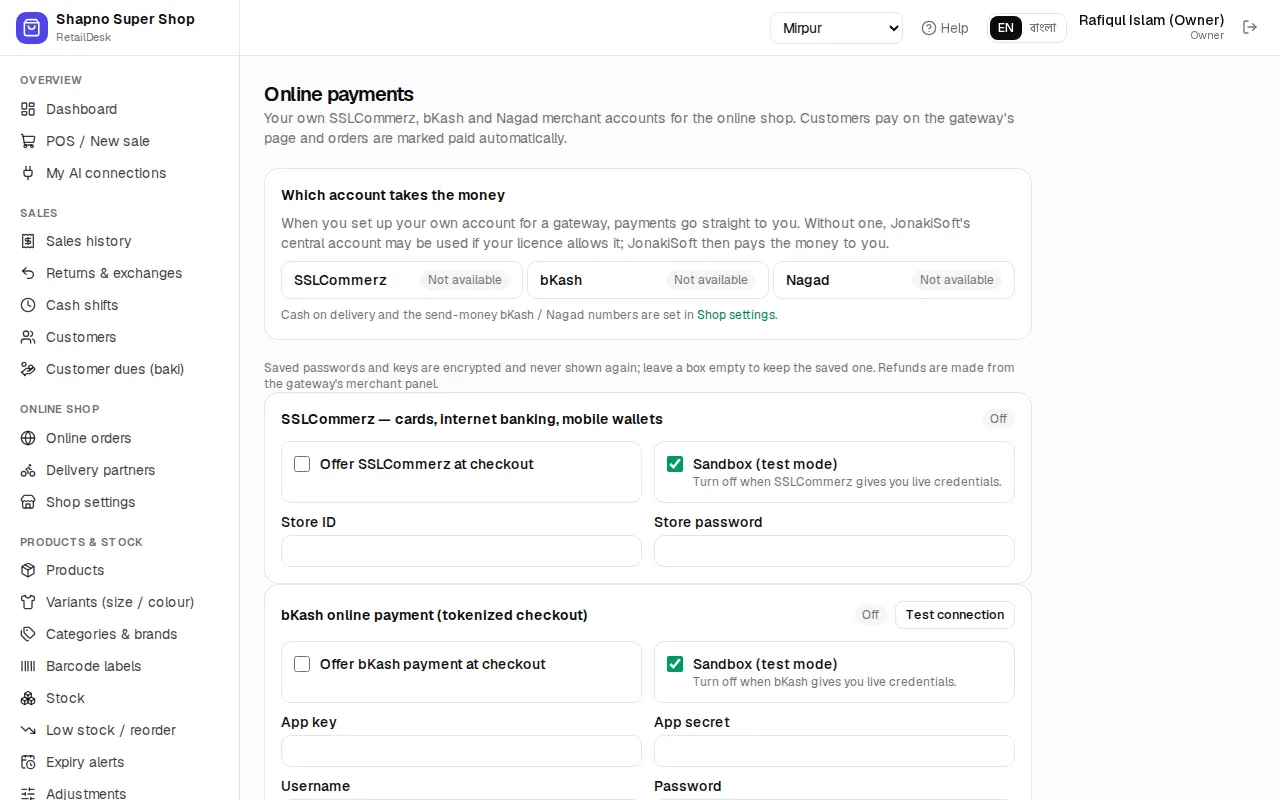
Which account takes the money shows, for each gateway, whether payments go to Your account, to JonakiSoft central, or are Not available.
- Your own account: fill in the card for the gateway with the details from your merchant account.
- SSLCommerz: tick Offer SSLCommerz at checkout, add the Store ID and Store password. Tick Sandbox while testing.
- bKash (tokenized checkout): App key, App secret, Username and Password.
- Nagad: Merchant ID, Merchant number, Merchant private key and the Nagad public key.
- Use the test button, then Save payment settings.
- JonakiSoft central: if your plan includes it and you have no merchant account yet, JonakiSoft collects the payment and settles it with you. These payments are listed under Payments collected by JonakiSoft.
Paid orders are marked paid by themselves. Send-money bKash/Nagad (customer types a TrxID) needs no gateway; staff check it by hand (see Online orders).
Subscription and licence
In Admin › Settings, the Subscription card shows your plan, whether it is Active, and the days left. To upgrade or renew, contact support.
The Licence & features card shows the Licence status, Plan, Valid until, Last synced and which features your plan includes; features outside it are marked (not in plan). Click Sync licence now after JonakiSoft tells you they changed your plan.
What happens when a licence ends:
- Grace period: a banner asks you to renew, and everything keeps working until the date shown.
- Expired or suspended: every page shows the licence page. All your products, sales, stock and accounts are saved. They open again as soon as the licence is active. The online shop is paused until then. The page shows how to contact support.
Feature switches
Some modules can be switched on or off by plan: variants, loose and weighed items, barcode labels, wholesale, loyalty, SMS, online shop, online payments, multiple branches, expiry tracking, VAT, accounting and AI assistants. If you open a module that isn't in your plan you see … is not part of your plan. Ask JonakiSoft or your reseller to add it.